AI Shopping Traffic Is Surging This Holiday: How to Make Your Shopify Catalog Show Up in ChatGPT
Adobe projects AI-referred traffic to rise 130% this holiday season. Shopify Agentic Storefronts makes your products discoverable in ChatGPT. Here's how.

Mark Cijo
Founder, GOSH Digital
Last reviewed: October 14, 2026
Adobe projects AI-referred traffic to US retail sites will rise 130% year-over-year during the November 1 through December 31, 2026 holiday season. On Thanksgiving alone, AI traffic is projected to jump 159%, followed by Black Friday at 95% and Cyber Monday at 88%.
If your Shopify catalog isn't showing up in ChatGPT product discovery, you're invisible to that surge.
Shopify Agentic Storefronts makes your products discoverable in ChatGPT, Microsoft Copilot, Google AI Mode and Gemini, and Meta, automatically, with no apps to install and no extra fees. It's active by default for eligible stores. For most Shopify brands, the question isn't "Should I set this up?" It's "Is this already on, and is it configured properly?"
Here's what you need to verify before Black Friday 2026 (November 27) and Cyber Monday 2026 (November 30).
What is Shopify Agentic Storefronts?
Shopify Agentic Storefronts is a sales channel in your Shopify admin that connects your products to AI shopping platforms. It's built on Shopify Catalog, the structured product feed that syndicates your catalog across AI channels.
Think of it as your product database for AI-mediated discovery.
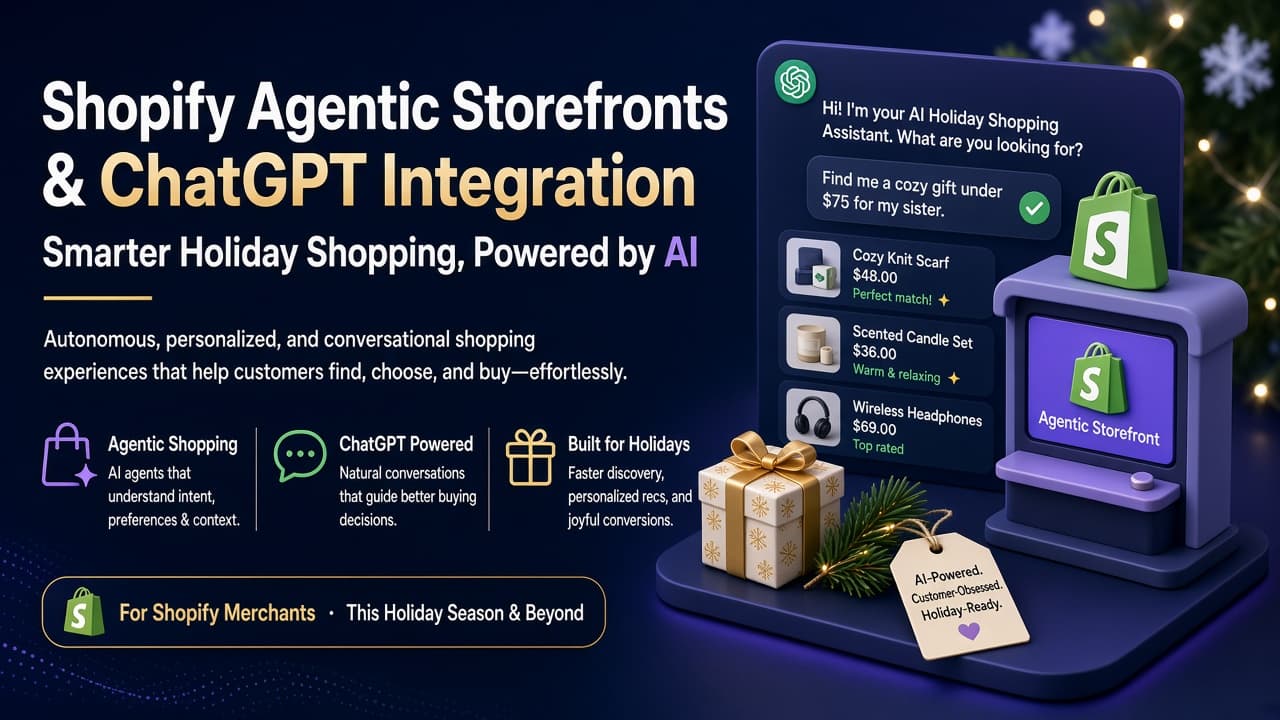
For ChatGPT specifically, it works like this: A shopper asks ChatGPT "show me waterproof hiking boots under $200." ChatGPT searches products from Shopify's catalog, displays matches, and when the shopper clicks through, they complete the purchase on your online store checkout, either in a ChatGPT in-app browser on mobile or a new tab on desktop.
Your branding, payment methods, checkout customizations, and upsells all apply. ChatGPT is the discovery layer. You own the transaction.
According to Shopify, Agentic Storefronts rolled out broadly to millions of Shopify merchants on March 24, 2026. Products become discoverable in ChatGPT by default for eligible stores, with no separate integrations, no apps, and no transaction fees beyond standard processing rates.
This is different from the OpenAI x Stripe Instant Checkout integration that launched in March 2026 and was later rolled back. That was in-chat checkout. This is discovery-focused referral.
The shift reflects OpenAI's pivot: ChatGPT is positioning itself as a product discovery engine, not a marketplace.
Are you eligible for ChatGPT via Agentic Storefronts?
Eligibility requirements from Shopify Help Center:
- Your store must sell to customers in the United States. Your store can be based anywhere, but you must serve US buyers.
- Your products must be eligible for Shopify Catalog. Most physical products and digital downloads qualify. B2B-only products do not.
- You must agree to the Shopify Agentic Storefronts Supplemental Terms of Service. This is a one-time acceptance step in your Shopify admin.
- You must have completed store policies. Specifically: Terms of service, Privacy policy, and Return and refund policy in Settings > Policies.
If you meet these four requirements, Agentic Storefronts is already active by default. You didn't opt in. Shopify enrolled you automatically.
If you sell products listed in OpenAI's Prohibited products and services, those specific products won't display in ChatGPT product discovery results, even if the rest of your catalog is eligible.
How to check if your store is live on ChatGPT
Go to your Shopify admin. Navigate to Settings > Sales channels > Agentic.
You'll see a toggle: "Allow Shopify to manage for me." If this is turned on (the default), your products are being syndicated to all connected AI channels, including ChatGPT, through Shopify Catalog.
Below that toggle, you'll see a list of AI channels: ChatGPT, Microsoft Copilot, Google AI Mode and Gemini, Meta. Click ChatGPT. You'll see Shopify Catalog access with a toggle.
If it's on, your products are discoverable in ChatGPT.
If both toggles are on, your store is live. If either is off, you've manually opted out or you're not eligible yet.
To test whether your products actually appear, open ChatGPT (shopping research is available to Free, Go, Plus, and Pro users) and search for a query your products should match. Example: "show me organic cotton t-shirts under $50." If your products appear in the results, you're live. If not, either your products don't match the query well enough or there's a Catalog eligibility issue.
What gets sent to ChatGPT through Shopify Catalog?
Shopify Catalog sends:
- Product title
- Product description (first 6,000 characters. Include any required legal disclosures within that limit)
- Price
- Availability (in stock, out of stock)
- Product images
- Product variants (size, color, etc.)
- Brand name
ChatGPT uses this data to decide which products to surface when a shopper asks for recommendations. The better your product data, the more likely ChatGPT surfaces your products over competitors with incomplete or generic descriptions.
This is where most Shopify brands are leaving money on the table. Your product pages were probably written for Google search.
ChatGPT product discovery requires a different optimization layer, the same principles we covered in our guide on how to get cited by ChatGPT and AI search.
How to optimize your Shopify catalog for ChatGPT discovery
Shopify Catalog is the feed. Your product pages are the source of that feed. If your product pages are vague, keyword-stuffed, or missing key details, that's what ChatGPT sees.
1. Write product descriptions for conversational queries
A shopper asking ChatGPT "show me a moisturizer for dry skin with SPF" isn't searching keywords. They're asking a question. Your product description needs to answer it.
Bad: "Premium Moisturizer with SPF 30. Hydrates skin. Dermatologist tested. Shop now."
Good: "Hydrating daily moisturizer formulated for dry and sensitive skin with broad-spectrum SPF 30 protection. Non-greasy, fragrance-free, dermatologist-tested. Suitable for daily use under makeup or alone."
The second description matches conversational queries. The first doesn't.
ChatGPT's algorithm favors descriptions that read like answers, not ads.
This is the same structure that works for Shopify product page SEO: clear, benefit-driven, specific. If you've already optimized product pages for organic search, much of that work translates directly.
2. Complete all product attributes and variants
If you sell a jacket in three colors and four sizes, every variant should have:
- A clear variant name (Navy / Medium, not "Option 1")
- Individual pricing if it differs by size
- Individual availability (in stock vs. out of stock)
- SKU or GTIN identifiers
ChatGPT uses variant data to surface the exact match. If a shopper asks for "navy rain jacket size large" and your variant structure is incomplete, ChatGPT may skip your product entirely or show a competitor with cleaner data.
3. Add structured data to your product pages
Shopify themes typically include basic Product schema markup by default, but check yours. Use Google's Rich Results Test to verify your product pages include:
- Product name
- Price and currency
- Availability
- Aggregate rating (if you have reviews)
- Brand
- Images
OpenAI's documented ingestion path for ChatGPT is a structured product feed (via Shopify Catalog or direct feed), not schema.org markup. That said, complete Product schema markup still benefits Google rich results and provides a clean, unambiguous statement of your product data that crawlers can read.
While ChatGPT doesn't document schema.org as a requirement, maintaining it remains best practice for overall product discoverability.
4. Publish comparison content on your own domain
One of the most underutilized tactics: Write "X vs. Y" comparison posts on your blog comparing your products to competitors or comparing products within your own catalog.
Example: If you sell coffee grinders, publish "Blade Grinder vs. Burr Grinder: Which One for French Press?" on your blog. Link to your products in the post.
ChatGPT loves comparison content because it summarizes cleanly into product-discovery answers.
Brands that publish comparison content on their own domains get cited in ChatGPT consistently. Brands that rely on third-party comparison sites (Wirecutter, Reddit threads, niche review blogs) get cited less often.
And when they are cited, the third party gets the attribution, not the brand.
Comparison content (product A vs. product B, material comparisons, feature breakdowns) can drive disproportionate share of high-intent AI search traffic when structured properly and published on your own domain.
Publishing comparison content before Black Friday 2026 positions your store ahead of competitors who haven't invested in this content type yet.
5. Get cited by sources ChatGPT already trusts
ChatGPT's training data heavily weights certain sources: Reddit's relevant subreddits, niche authority sites in your category, podcasts, and industry publications.
A single mention in a relevant Reddit thread can be worth more for ChatGPT visibility than 50 backlinks from generic SEO blogs. Same for podcast appearances.
Same for being quoted in trade publications.
This is where your PR layer pays disproportionate returns. Brands getting interviewed on relevant podcasts, mentioned in newsletters, or quoted in industry pieces show up in ChatGPT consistently.
Brands with no citation footprint, even if they rank #1 in Google, don't.
We covered this in detail in our SEO in the age of AI guide, but the short version: citation-centric beats keyword-centric in AI discovery.
Build your citation footprint now.
How to opt out (if you need to)
If you want to remove ChatGPT's access to your Shopify Catalog:
- From your Shopify admin, go to Sales channels > Agentic.
- Deactivate "Allow Shopify to manage for me."
- Click ChatGPT.
- Deactivate Shopify Catalog access.
- Click Save.
Per Shopify's Help Center, it can take up to seven days before your product data is no longer shared through Shopify Catalog.
Important: Opting out of Shopify Catalog doesn't completely remove your products from ChatGPT. ChatGPT can still discover your products through web crawling and indexing, the same way Google does. If you need to completely hide a product from AI channels, you'll need to follow Shopify's guidance on hiding products from AI discovery.
For most brands, opting out makes no sense. There are no extra fees. Checkout happens on your own store.
The only downside is if you sell prohibited products or prefer not to participate in AI-mediated discovery at all.
What does this connect to?
AI-referred traffic is still small in absolute terms. Adobe's forecast describes growth, not share. AI traffic remains a low single-digit percentage of total retail traffic.
But 130% year-over-year growth is not noise. It's the beginning of a channel shift.
The brands that win in 2026 and beyond will be the ones with:
- Clean, citable product pages
- Structured data everywhere
- Comparison content on their own domain
- PR and citation footprint in trusted sources
- A retention machine that compounds the traffic they do get
We help brands build this end-to-end through our SEO and content marketing services paired with Shopify design and development that makes your store fast, accessible, and optimized to convert AI-referred traffic effectively.
The shift isn't just "Google SEO vs. ChatGPT SEO." It's acquisition-centric to citation-centric across every channel. Brands paying attention to agentic commerce trends, including ChatGPT, Microsoft Copilot, and the emerging agentic buying layer, are pulling ahead.
AI is increasingly mediating the buying decision. The brands inside the data layer the AI is reading win. The brands outside it don't.
What to do before Black Friday 2026
If you've never checked whether your Shopify store is live on ChatGPT, do it now. Go to Settings > Sales channels > Agentic and verify both toggles are on.
Then run this audit before Black Friday (November 27, 2026) and Cyber Monday (November 30, 2026):
- Check your top 20 product pages for plain-English descriptions, complete variant data, and structured data.
- Test your products in ChatGPT. Ask queries your customers would ask and see if your products surface.
- Write 3-5 comparison posts before November. Publish them on your own blog. Link to your products.
- Verify your store policies are complete in Settings > Policies. This is a hard requirement for Agentic Storefronts eligibility.
- Monitor your Shopify analytics for AI-referred traffic. Shopify admin shows channel attribution for orders from Agentic Storefronts. Track it weekly through the holiday season.
Want us to audit your Shopify store for AI discovery readiness? Book a free strategy call and we'll send back a complete map of where your products show up across ChatGPT, Google AI Overviews, Perplexity, and Gemini, and exactly what to fix first.
The brands building citation footprint and clean product data now will dominate AI-mediated discovery in the next 12-24 months.
The brands that wait will be invisible to the buyers who matter most.
Sources:
- Adobe Holiday Shopping Forecast 2026 (PDF): Adobe Analytics, September 28, 2026
- Shopify Help Center: Selling on ChatGPT: Shopify official documentation
- Shopify Help Center: Shopify Agentic Storefronts: Shopify official documentation
- Agentic Commerce on Shopify: How It Works (2026): Shopify Blog
- Millions of Merchants Can Sell in AI Chats: Shopify News, September 2026
- Adobe expects AI shopping referrals to more than double this holiday season: Search Engine Watch, September 29, 2026

Written by Mark Cijo
Founder of GOSH Digital. Klaviyo Gold Partner. Helping eCommerce brands grow revenue through data-driven marketing.
Book a free strategy call →