Meta's AI Assistant in Ads Manager: What to Let It Touch (And What to Keep Manual in Q4)
Meta's AI business assistant can now create campaigns and change budgets via conversational prompts. Here's what to automate heading into Q4 2026, and what still needs human control.

Mark Cijo
Founder, GOSH Digital
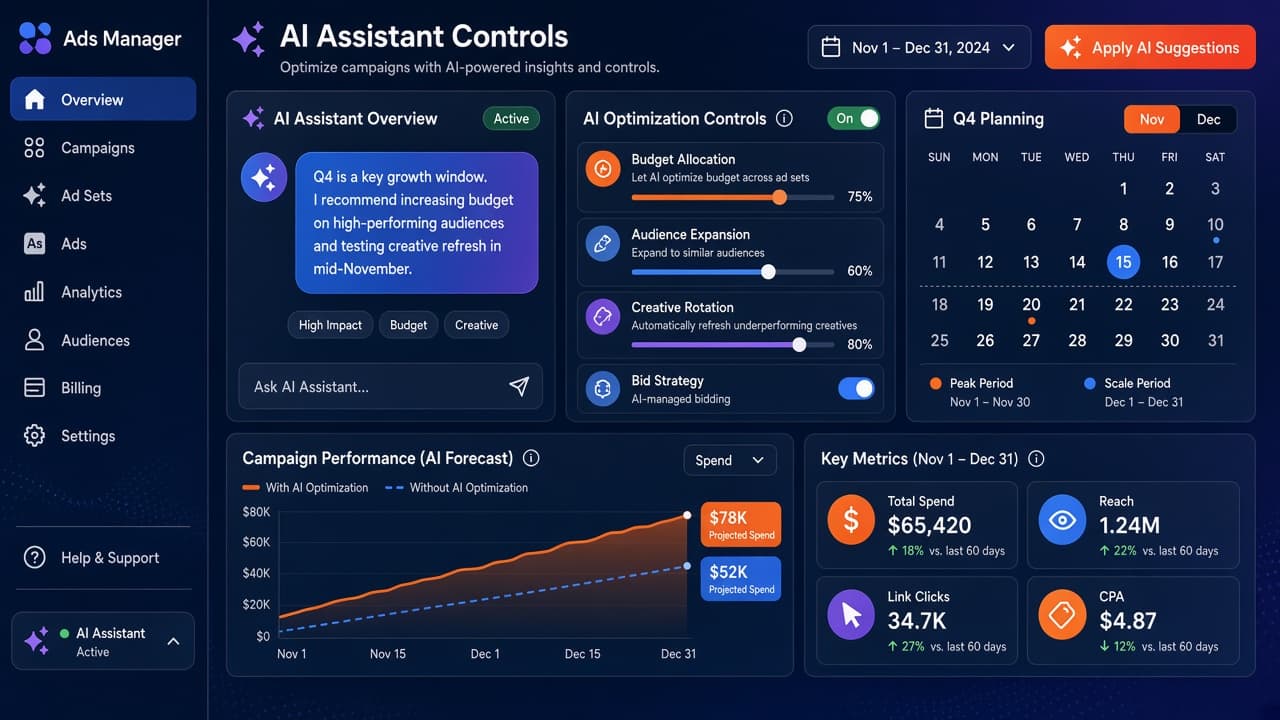
Meta's AI business assistant can now create campaigns, generate creative, and change budgets via conversational prompts. That's useful. It's also a control risk heading into the highest-stakes advertising window of the year.
On 6 October 2026 at Advertising Week New York, Meta announced it's testing agentic capabilities in its AI business assistant: actions that go beyond recommendations and actually make changes to your account. Through natural language prompts, the assistant can now plan and create campaigns, update targeting, adjust budgets, and handle scheduled monitoring tasks.
That's powerful automation. It's also something you need to control deliberately, especially heading into Q4 when budget mistakes cost real money.
Here's what the new capabilities actually do, what's safe to delegate as you prep for Black Friday and Cyber Monday, and what you should keep manual through the end of the year.
What Meta's AI Business Assistant Actually Does (October 2026)
Meta's AI business assistant has been available to all advertisers since April 2026. It lives in Ads Manager and provides conversational guidance on campaign creation, performance analysis, and optimization recommendations.
The 6 October 2026 announcement changes what the assistant can do. Meta is testing agentic actions: tasks where the assistant doesn't just recommend, it executes.
Through conversational prompts, advertisers in the testing group can:
- Plan and create a campaign end-to-end
- Generate creative images and text
- Update targeting parameters
- Change campaign budgets
- Set up scheduled tasks for performance monitoring, weekly summaries, and budget review reminders
Meta is also testing the ability to upload brand strategy and voice guidelines, so the assistant can align its outputs with your positioning without you re-explaining it in every prompt.
According to Meta's presentation, Meta reports that advertisers adopting the AI business assistant's recommendations are seeing 5% more conversions at the same cost per conversion compared to those who don't use it. Meta has not published the methodology, comparison group details, or time period for this figure.
That's the promise. The risk is that automated actions optimized for average conditions can make bad calls during non-average windows (like Black Friday weekend, when auction dynamics shift hourly and manual control matters).
What's Still in Testing vs What's Live for Everyone
This is important: the agentic capabilities are in testing. Not every advertiser has access.
What's live for all advertisers as of October 2026:
- Conversational analysis of ad performance
- Recommendations based on account history, seasonality, and goals
- Creative insights showing what's working and why
- Competitive benchmarking using publicly available data from similar businesses
- Integration with Google Workspace (Gmail, Drive, Docs, Sheets, Slides) for context and reporting
What's in testing (selected advertisers only):
- Campaign creation via conversational prompts
- Budget and targeting changes executed through the assistant
- Scheduled monitoring tasks and alerts
- Importing brand guidelines and strategy documents
- Creative generation (images and text)
According to Meta's help documentation, the assistant can review ad performance, but to create, edit, or publish ads, you still use Ads Manager or Meta Business Suite. The testing features expand that by letting the assistant execute actions, not just recommend them.
If you're reading this and you don't see action-taking options in your account, you're not in the testing group yet. The analysis and recommendation features are what's universally available.
The Control Question: What Should You Let It Touch in Q4?
The assistant is most useful for routine tasks that pull you away from strategic work. In Q4, that's reporting, monitoring, and anomaly detection: work that needs to happen daily but doesn't need a human making judgment calls every time.
Here is a practical framework for Q4 campaign management as you prep accounts for the holiday season.
Safe to Delegate (If You Have Access to Testing Features)
Weekly performance summaries. Let the assistant compile what happened last week, flag unusual patterns, and compare performance to the same week last year. This is reporting work (useful, but not strategic). The assistant's memory features can track your historical Q4 performance and surface patterns you'd otherwise dig for manually.
Campaign comparison analysis. If you're running multiple offers (early bird, BFCM, Cyber Monday, post-holiday clearance), the assistant can compare them in real time and flag which is underperforming relative to expectations. You still make the decision about what to do; it's surfacing the data faster than manual dashboard checks.
Anomaly alerts. Set up scheduled tasks to check for delivery issues, sudden CPA spikes, or budget pacing problems. The assistant can flag these and ping you when something's off. That's monitoring you'd do anyway; automating it just means you catch problems faster.
Creative variation generation. Use the assistant to generate test variations of existing creative (different headlines, image crops, CTA phrasing). These aren't your core BFCM assets; they're the secondary tests running alongside your main campaigns. Let the assistant generate them, then review and approve before they go live.
Keep Manual (Even If the Assistant Offers to Do It)
Budget changes during peak windows. Black Friday (27 November 2026) and Cyber Monday (30 November 2026) auction dynamics shift hourly. What works at 9am EST won't work at 9pm. Automated budget adjustments optimized for normal conditions can overspend or underserve during these windows. Keep budget control manual from 26 November (Thanksgiving) through 30 November (Cyber Monday).
Campaign creation for core BFCM offers. Your flagship Black Friday campaign (the one carrying your hero discount and primary creative) shouldn't be generated conversationally. Build it manually so you control every targeting parameter, placement, and creative element. Use the assistant for secondary campaigns, not the ones driving the majority of Q4 revenue.
Targeting updates for acquisition campaigns. Heading into Q4, your acquisition campaigns should have clean customer exclusion lists and tested lookalike audiences. Don't let the assistant update these conversationally. If you've synced Klaviyo customer segments to Meta via Customer Lifecycle Strategy, that exclusion logic needs to stay locked. The assistant can recommend changes, but you approve them manually.
Creative for high-stakes offers. Your 30% off sitewide hero creative isn't something to generate via a prompt. The assistant can produce variations for testing, but your core Black Friday and Cyber Monday assets should be designed, reviewed, and uploaded manually. Brand control matters more during high-volume windows, not less.
How the Assistant's Memory Features Change Q4 Prep
One of the new features Meta is adding is expanded memory and context. The assistant can now remember what you tried last quarter, your seasonal patterns, and the goals you've described.
For Q4, that's useful in specific ways.
If you're running the same Black Friday and Cyber Monday structure you ran last year (same offer cadence, similar creative strategy, comparable budget), the assistant can compare current performance to last year's baseline in real time. It knows what 28 November 2025 (Black Friday 2025) looked like for your account, and it can flag when 27 November 2026 (Black Friday 2026) is tracking behind.
That's the kind of comparison you'd build manually in a spreadsheet. The assistant automates it.
It can also surface when your current campaigns deviate from your stated goals. If you told it in September that Q4 acquisition campaigns should target a $40 new customer CPA, and mid-November campaigns are running at $55, it'll flag that without you needing to check daily.
The trade-off is the assistant's recommendations are based on what it's observed in your account. If last year's strategy was suboptimal, the assistant will recommend staying consistent with it unless you explicitly tell it the old approach was wrong.
Don't assume the memory features mean the assistant understands your business better than you do. It remembers what you did. It doesn't know what you should have done differently.
What About Advantage+ Automation vs the AI Assistant?
They're different tools. Both involve Meta's AI, but they operate at different levels.
Advantage+ automation is Meta's campaign-level suite: Advantage+ Shopping Campaigns, Advantage+ creative enhancements, Advantage+ placements. These are structural campaign settings that optimize delivery, creative, and audience targeting within predefined parameters you set when you launch the campaign.
The AI business assistant is conversational. You ask it to do something, and it either makes a recommendation or takes action on your behalf (if you're in the testing group for agentic features).
Advantage+ runs continuously once you enable it. The assistant acts on demand when you prompt it.
You can use both. You can run Advantage+ Shopping Campaigns for Q4 catalogue prospecting, then use the AI assistant to analyze their performance daily and recommend budget reallocations based on what's working. They're complementary, not alternatives.
The control question for both is the same: what are you delegating, and what are you keeping manual?
For Q4, our recommendation: run Advantage+ Shopping for catalogue prospecting if you've tested it and know it works for your account. Keep Advantage+ creative enhancements off for your hero Black Friday and Cyber Monday campaigns (you don't want the platform remixing your 30% off creative mid-campaign). Use the AI assistant for monitoring and reporting, not for budget or targeting changes during peak windows.
The Practical Q4 Workflow With the Assistant
If you're in the testing group and want to use the assistant heading into Black Friday, here is a practical setup approach.
Early October (now): Set up scheduled monitoring tasks. Weekly summaries, daily anomaly checks, budget pacing alerts. Let the assistant handle the routine reporting so you're not manually checking dashboards every morning.
Mid-October to mid-November: Use the assistant to generate creative test variations for December campaigns (the post-Cyber Monday push, the last-minute gift campaign, the end-of-year clearance). Generate, review, approve. Don't let it run unreviewed.
26 November to 30 November 2026 (Thanksgiving through Cyber Monday): Manual control for all budget and targeting changes. Use the assistant for monitoring only. If it flags an issue, you make the call about what to do. Don't automate decisions during this window.
1 December 2026 onward: Resume using the assistant for budget adjustments on lower-stakes campaigns. Test letting it handle budget increases for winning post-Cyber Monday campaigns in early December. If it works well, expand usage. If it makes bad calls, pull back to manual.
The goal: use the assistant for the repetitive analysis and monitoring work that takes time but doesn't require strategic judgment. Keep strategic decisions manual during high-stakes windows.
What About Brand Voice and Strategy Guidelines?
Meta is testing the ability to upload brand strategy and voice guidelines directly to the assistant. This is designed to solve the problem where every prompt requires you to re-explain your positioning, tone, and constraints.
If you're in the testing group for this feature, it's worth using, with limits.
Upload:
- Brand voice guidelines (tone, vocabulary, what to avoid)
- Offer constraints (never discount core products below 20%, never use "cheap")
- Audience definitions (who counts as an existing customer, how you define acquisition vs retention)
- Creative guardrails (approved colour palette, logo usage rules, imagery that's off-brand)
Don't upload:
- Competitive intelligence that you don't want Meta's models trained on
- Pricing strategy details beyond what's already public
- Customer data or segment definitions that aren't anonymized
The assistant uses these guidelines to refine its outputs (creative generation, targeting recommendations, campaign structure suggestions). It's not sharing your guidelines with other advertisers, but once uploaded, you're trusting Meta's infrastructure with that information.
For most DTC brands, the trade-off is worth it. The time saved by not re-explaining your brand voice in every prompt outweighs the theoretical risk of Meta's models learning from your guidelines.
Just don't upload anything you wouldn't put in a public-facing brand guide.
The REI Lesson Still Applies Here
In June 2026, REI ran an AI-generated ad featuring a deformed bicycle. The ad had extra handlebars and illegible text, generated by Meta's AI creative tools. REI said Meta auto-enrolled them in the tool; Meta stated that Advantage+ Creative is off by default and requires advertiser action to enable, though some enhancements within enabled campaigns may run by default.
That story is a reminder: platform AI optimizes for engagement and conversions. It doesn't optimize for brand integrity or long-term positioning.
The AI business assistant is different. It's an assistant you prompt, not a background process that runs without you knowing. But the control principle is the same.
If you delegate creative generation, budget changes, or targeting updates to the assistant, you're trusting Meta's models to make calls that align with your brand and business goals. Sometimes they will. Sometimes they won't.
The fix: review before it goes live. The assistant can generate creative variations, but you approve them. It can recommend budget changes, but you execute them. It can suggest new targeting, but you verify the audience makes sense.
Treat the assistant like a junior team member who's fast, capable, and doesn't understand your brand as deeply as you do. That's not an insult to the tool; it's an accurate description of what it is.
Should You Turn This On Today?
If you're in the testing group for agentic actions, yes, but with guardrails.
Start with monitoring and reporting tasks. Let the assistant compile weekly summaries, flag anomalies, and compare campaigns. See if its recommendations align with what you'd conclude from the same data. If they do, expand usage. If they don't, stay manual.
Don't hand over budget control during Q4. When the assistant's recommendations are occasionally wrong, those errors will cost you more during Black Friday and Cyber Monday (27-30 November 2026) than the time saved is worth.
The brands that'll benefit most from the assistant heading into Q4:
- DTC brands spending $20k+/month on Meta where manual monitoring is taking hours per week
- Brands running multiple Black Friday and Cyber Monday campaign variations (early access, main sale, Cyber Monday, post-holiday) that need daily comparison analysis
- Brands with tested creative formats where generating variations for secondary campaigns saves production time
- Brands where the bottleneck is reporting and analysis, not strategic decision-making
The brands that should wait:
- Brands that haven't tested Advantage+ automation and don't know how Meta's AI performs on their account
- Brands where Q4 is make-or-break revenue-wise and manual control reduces risk more than automation increases efficiency
- Brands without documented brand guidelines or creative guardrails to upload to the assistant
For most eCommerce brands, the right answer is: start using the assistant for routine tasks now, keep strategic control manual through Black Friday and Cyber Monday (27-30 November 2026), then expand usage in December based on what you learned.
What's Next: Audience Labels and Creative Studio Expansion
Meta also announced two related features that aren't live yet but will matter for Q4 2027.
Audience Labels (in testing): A feature that applies one label per custom audience and can be used with value rules to adjust bidding for different audience groups (new, engaged, existing customers). Note: Audience Labels are not the same as Customer Lifecycle Strategy exclusions. Customer Lifecycle Strategy still requires manually selecting custom audiences to exclude, even as of October 2026. The labels feature is for bidding optimization, not automated exclusions.
Ads Creative Studio (expanding availability): An AI tool that analyzes your brand's performance and audience data to show what's working in current campaigns and how to develop future ones. It was available to selected partners; Meta is expanding access. This is separate from the business assistant (it's more like a creative recommendation engine than a conversational interface).
Both features will be useful for 2027 Q4 planning. For Q4 2026, focus on what's live: the analysis and monitoring capabilities that are universally available, and the agentic actions if you're in the testing group.
Ready to Audit Your Meta Setup Before BFCM?
If you're spending serious money on Meta heading into Q4 and want to make sure your campaigns, exclusions, and automation settings are dialled in before Black Friday (27 November 2026) hits, we do this as part of every paid media engagement at GOSH Digital.
Book a free strategy call. We'll review your current campaign structure, whether the AI assistant's available in your account, and what automation makes sense to turn on (or off) before Thanksgiving (26 November 2026).
We work with 150+ clients on paid media and more, with $70M+ revenue driven and $23M+ ad spend managed. Meta's AI features are tools, not strategies. The strategy is knowing when to use them and when to stay manual.
The AI business assistant is the new baseline for Meta campaign management. But baseline doesn't mean autopilot. Heading into Q4, control is still more valuable than convenience.
Last reviewed: 15 October 2026

Written by Mark Cijo
Founder of GOSH Digital. Klaviyo Gold Partner. Helping eCommerce brands grow revenue through data-driven marketing.
Book a free strategy call →