Klaviyo Integrations: 10 Tools DTC Brands Use in 2026
After auditing 150+ Klaviyo accounts, these 10 integrations—Shopify, Recharge, Gorgias, Yotpo, and more—unlock the retention data DTC brands need to scale.

Mark Cijo
Founder, GOSH Digital

Klaviyo out of the box is solid. Klaviyo connected to the right tools is a different animal entirely.
Most brands install the Shopify integration and stop there. They're using maybe 20% of what Klaviyo can do. The real power comes when Klaviyo becomes the central hub of your retention stack — pulling data from every customer touchpoint and using it to drive smarter emails, better segments, and higher revenue. For the full picture of how integrations fit into a complete 2026 Klaviyo strategy, see our complete Klaviyo guide for 2026.
I'm going to walk you through the 10 integrations we set up for almost every brand we work with, why they matter, and what you can do with them once they're connected.
1. Shopify (The Foundation)
Why it matters: If you're on Shopify and using Klaviyo, this integration should already be active. But "active" and "properly configured" are different things.
What most brands miss:
The default Shopify-Klaviyo integration syncs basic order data and customer profiles. That's fine. But you should also be syncing:
- Product catalog — Enables dynamic product recommendations in emails
- Customer tags — Shopify customer tags sync to Klaviyo properties, which you can use for segmentation
- Draft orders — Useful for B2B or wholesale brands
- Subscription data — If you're using a Shopify subscription app, make sure that data flows to Klaviyo
What you can do with it: Segment customers by purchase frequency, average order value, product category purchased, total spend, recency of last order. Build flows triggered by specific product purchases. Send dynamic product recommendations based on browsing and purchase history.
Setup time: 10 minutes for basic. 1-2 hours for full optimization.
2. Recharge or Skio (Subscription Data)
Why it matters: If you sell subscriptions (supplements, coffee, skincare, pet food, anything consumable), your subscription platform data is gold.
What it does: Syncs subscription events to Klaviyo — subscription created, subscription cancelled, subscription paused, upcoming charge, payment failed.
What you can do with it:
- Cancellation prevention flow: When someone cancels, trigger a flow that asks why and offers an alternative (swap product, skip a month, change frequency) instead of just letting them go
- Failed payment recovery: When a charge fails, trigger a flow that asks the customer to update their payment method. This alone can recover 15-25% of failed charges.
- Upsell active subscribers: Subscribers are your most loyal customers. Use their subscription data to cross-sell complementary products.
- Pre-shipment notification: "Your next order ships in 3 days" with an option to add items to their box
Real impact: One supplement brand we manage recovered $18K/month in failed subscription payments just by connecting Recharge to Klaviyo and building a 3-email recovery flow. Before that, those payments were just disappearing.
Setup time: 30 minutes.
3. Yotpo, Junip, or Stamped (Reviews)
Why it matters: Review data in Klaviyo lets you segment by customer satisfaction and use social proof in your emails dynamically.
What it does: Syncs review submission events and review data (star rating, review text) to Klaviyo profiles.
What you can do with it:
- Post-review thank you flow: When someone leaves a 4-5 star review, trigger a thank you email with a referral incentive or loyalty points
- Low-review rescue flow: When someone leaves a 1-2 star review, trigger an email from your customer service team to address the issue before it becomes a public complaint
- Segment by review activity: People who leave reviews are your most engaged customers. Create a VIP segment based on review activity and give them early access, exclusive offers, or product development input.
- Dynamic review content in emails: Pull recent reviews into your campaign emails as social proof. "Here's what Sarah in Portland said about the product you're considering."
Setup time: 20-30 minutes.
4. Smile.io or LoyaltyLion (Loyalty Programs)
Why it matters: Loyalty data makes your email segmentation dramatically more powerful. You can target customers based on points balance, tier status, and reward redemption behavior.
What it does: Syncs loyalty tier, points balance, points earned, and points redeemed to Klaviyo profiles.
What you can do with it:
- Points reminder flow: "You have 500 points — that's $10 off your next order. Here's what you could get." This drives incremental purchases that wouldn't have happened otherwise.
- Tier upgrade celebration: When someone reaches a new loyalty tier, celebrate it. "Congratulations, you're now a Gold member. Here's your new benefits."
- At-risk VIP flow: When a high-tier customer hasn't purchased in 60 days, trigger a personalized win-back with their points balance front and center.
- Segment campaigns by tier: Send VIPs early access to sales, new products, or exclusive bundles. Make the loyalty tiers feel meaningful.
Real impact: A fashion brand we work with saw a 22% increase in repeat purchase rate after connecting their loyalty program to Klaviyo and building tier-based email flows.
Setup time: 30-45 minutes.
5. Gorgias or Zendesk (Customer Support)
Why it matters: Support data tells you who's unhappy, who has open issues, and who just had a great service experience. That should influence what emails they receive.
What it does: Syncs support ticket data — ticket created, ticket resolved, customer satisfaction score — to Klaviyo profiles.
What you can do with it:
- Suppress promotional emails during open tickets: If someone has an open support ticket about a damaged product, the last thing they want is a "Buy more!" email. Create a suppression segment for customers with open tickets.
- Post-resolution follow-up: After a ticket is resolved and rated positively, trigger a "Thanks for your patience" email. Good timing for a review request or referral ask.
- VIP support identification: Segment customers who have filed multiple tickets. Are they genuinely having bad experiences? Or are they high-value customers with high expectations who need white-glove treatment?
- NPS follow-up: If your support tool captures NPS or CSAT scores, use those in Klaviyo to segment promoters (ask for reviews, referrals) and detractors (send win-back, offer resolution).
Setup time: 20-30 minutes.
6. Google Ads + Meta Ads (Audience Sync)
Why it matters: Klaviyo's audience sync pushes your email segments directly into Google and Meta as custom audiences. This means your ad targeting gets smarter based on email engagement data.
What it does: Automatically syncs Klaviyo segments to ad platform custom audiences. The sync runs continuously, so your ad audiences are always up to date.
What you can do with it:
- Suppress existing customers from acquisition campaigns. Why pay $40 to acquire someone who's already your customer? Sync your "purchased in last 90 days" segment to Meta as an exclusion audience.
- Build lookalikes from your best customers. Create a Klaviyo segment of customers with LTV over $500, sync it to Meta, and build a lookalike audience. This consistently outperforms interest-based targeting.
- Retarget engaged email subscribers. Create a segment of people who opened 3+ emails in the last 30 days but haven't purchased. Sync to Meta for retargeting. These are warm leads.
- Win-back through ads. Sync your lapsed customer segment to Meta. These people already know your brand — ads plus email create a multi-channel win-back that converts better than either channel alone.
Real impact: One brand we work with reduced their Meta CAC by 28% just by syncing purchase data to Meta for suppression and lookalike building.
Setup time: 15-20 minutes per platform.
7. Privy or Justuno (Pop-ups and Forms)
Why it matters: Your email collection mechanism feeds everything else. Better pop-ups mean more subscribers, which means more email revenue.
What it does: Syncs sign-up form submissions to Klaviyo with proper list and tag attribution. Also syncs which pop-up or form the subscriber came through.
What you can do with it:
- Source-specific welcome flows: Someone who signed up through a "10% off" pop-up expects a discount code. Someone who signed up through a "style quiz" expects personalized recommendations. Build different welcome flows based on the sign-up source.
- Track which pop-ups drive the best subscribers. Not all leads are equal. Some pop-ups attract discount hunters who buy once and disappear. Others attract genuinely interested browsers. Use Klaviyo data to measure 90-day LTV by sign-up source.
- A/B test pop-up offers. Test "10% off" vs "free shipping" vs "exclusive access" and measure not just sign-up rate but downstream revenue in Klaviyo.
Setup time: 15-30 minutes.
8. Aftership or Malomo (Shipping/Tracking)
Why it matters: The period between "order placed" and "order delivered" is when customer anxiety peaks. This is also when customers check their email most frequently for updates.
What it does: Syncs shipment events to Klaviyo — order shipped, in transit, out for delivery, delivered, delivery exception.
What you can do with it:
- Branded tracking emails instead of boring carrier notifications. These emails get 60-70% open rates. Use that attention to cross-sell, educate about the product they're about to receive, or build brand affinity.
- Delivery confirmation flow: When the package is delivered, trigger a "Your order has arrived!" email with product care tips, usage instructions, and a "how to get the most out of your purchase" section. Follow up 3-5 days later with a review request.
- Delivery exception handling: When a package is stuck or delayed, trigger a proactive email before the customer contacts support. "We noticed your package is delayed — here's what's happening and what we're doing about it." This turns a negative experience into a trust-building moment.
Setup time: 30-45 minutes.
9. Typeform or Octane AI (Quizzes and Zero-Party Data)
Why it matters: Quiz data is the most valuable data you can collect. The customer tells you exactly what they want, why they want it, and what their preferences are. That's zero-party data — given willingly.
What it does: Syncs quiz responses as custom properties on Klaviyo profiles.
What you can do with it:
- Hyper-personalized product recommendations. If someone tells you through a quiz that they have dry skin, are 35, and prefer unscented products, every email they receive should reflect that. Product recommendations, content, even subject lines.
- Segment by quiz results. Create segments based on quiz answers and send targeted campaigns. The supplement brand version: segment by fitness goal (weight loss, muscle gain, energy) and only send relevant product content to each group.
- Personalized welcome flow. After quiz completion, trigger a welcome flow that references their specific answers. "Based on what you told us about your skin type, here's what we recommend..." This converts at 2-3x the rate of a generic welcome flow.
Setup time: 30-60 minutes depending on quiz complexity.
10. Google Analytics 4 (Attribution Clarity)
Why it matters: Klaviyo's built-in attribution is generous. GA4 gives you a reality check and helps you understand how email fits into the full customer journey.
What it does: UTM parameters on Klaviyo emails feed data into GA4, allowing you to see email performance alongside other channels with consistent attribution.
What you should set up:
- Consistent UTM tagging on every Klaviyo link. Klaviyo can auto-append UTMs, but verify they're structured correctly:
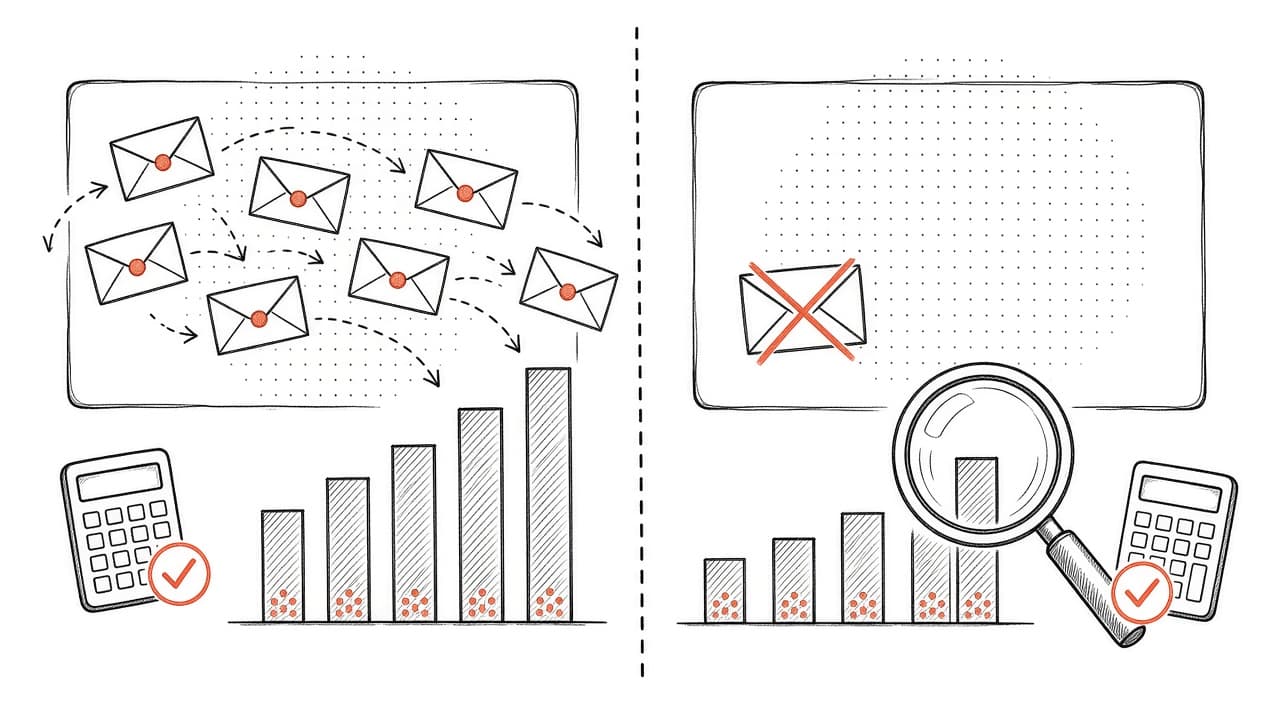
utm_source=klaviyo,utm_medium=email,utm_campaign=[campaign name] - Compare Klaviyo-attributed revenue vs GA4-attributed revenue. Klaviyo will typically report 20-40% higher than GA4 because of different attribution windows. Neither is "wrong," but you should understand the gap.
- Track assisted conversions. GA4 shows when email was part of the purchase path even if it wasn't the last touch. This helps justify email investment when the numbers look lower in a last-click model.
Setup time: 15-30 minutes.
The Integration Stack Order (Do These First)
If you're starting from scratch, here's the order I'd install:
- Shopify (foundation — do this first, obviously)
- Pop-up/form tool (start collecting emails properly)
- Reviews (social proof data)
- Google/Meta audience sync (make your ads smarter immediately)
- Shipping/tracking (branded transactional emails)
- Loyalty (if you have a loyalty program)
- Subscriptions (if you sell subscriptions)
- Support (suppress unhappy customers from promos)
- Quiz tool (zero-party data collection)
- GA4 (attribution clarity)
Each integration adds a layer of data that makes your segmentation sharper, your flows smarter, and your campaigns more relevant. The difference between a Klaviyo account with just Shopify connected and one with all 10 integrations is like the difference between a flip phone and a smartphone. Same category, completely different capability.
Related Reads
- Klaviyo Predictive Analytics: Using Data to Drive Revenue
- Email Marketing ROI: The Numbers That Actually Matter
- Back in Stock Alerts: The Flow You're Probably Missing
Need Help Connecting Everything?
Setting up each integration is straightforward. Building the flows, segments, and strategies that actually use the data? That's where it gets interesting.
If you want us to audit your current Klaviyo setup, identify which integrations are missing, and build out the flows that take advantage of them, book a call. We'll map your entire retention stack and show you where the gaps are.

Written by Mark Cijo
Founder of GOSH Digital. Klaviyo Gold Partner. Helping eCommerce brands grow revenue through data-driven marketing.
Book a free strategy call →