PHP Web Shells on eCommerce Stores: What They Are and How to Stop Them
PHP web shells let attackers control your store remotely. Here's what ecommerce owners need to know about detection, damage, and prevention.

Mark Cijo
Founder, GOSH Digital
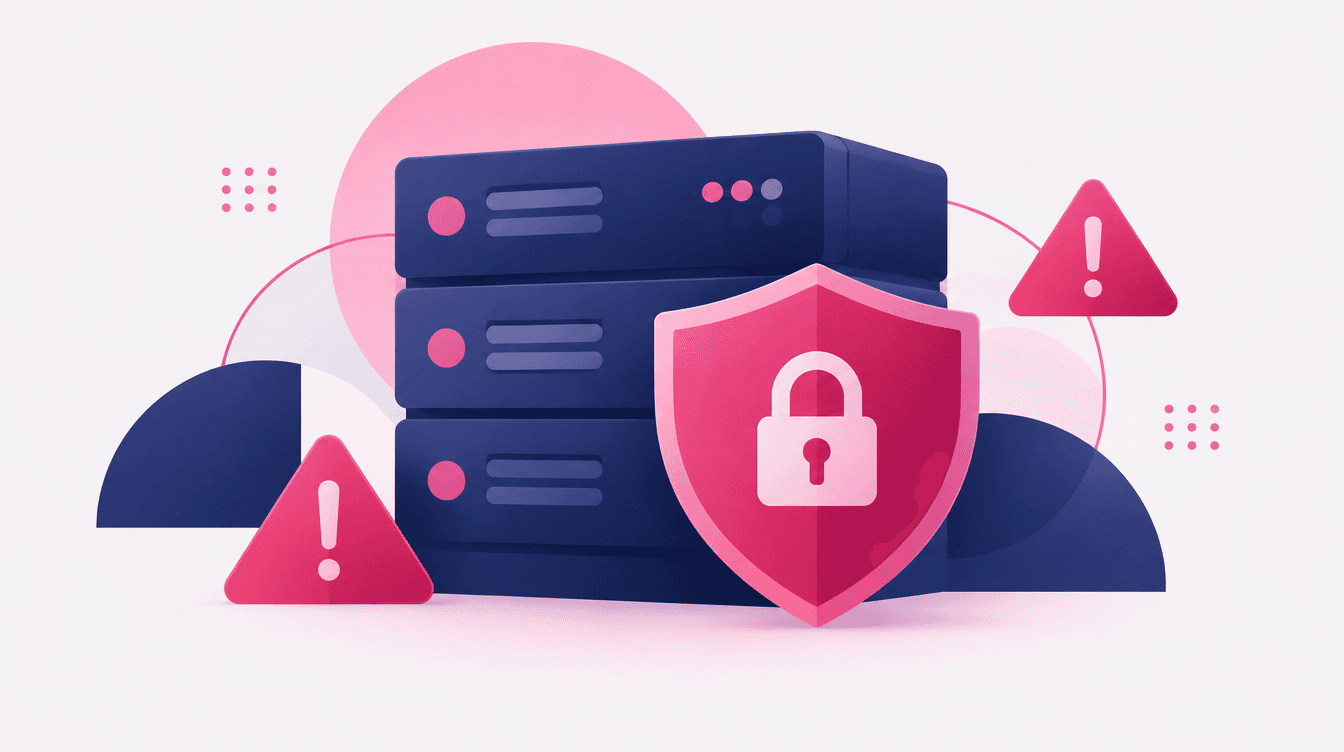
A PHP web shell is a malicious script that gives an attacker remote command-line access to your server. Once it's on your store, they can read database credentials, inject checkout skimmers, steal customer data, create admin accounts, or use your server to attack others. For WooCommerce, Magento, and other self-hosted PHP ecommerce platforms, web shells are one of the most common post-breach tools attackers use — and one of the hardest to detect without proper monitoring.
If you're running a self-hosted store and you've never audited your upload directories, checked for unknown admin users, or reviewed server logs for suspicious .php files in places they shouldn't be, you need to read this.
Last reviewed: October 23, 2026. All technical references verified against current OWASP, CISA, Wordfence, and Sucuri documentation.
Why This Matters Now
Here's a hypothetical scenario that plays out regularly in ecommerce: A Magento store's organic traffic drops 60% in two weeks. Google Search Console shows a Manual Action for "Hacked Site." The checkout page has been injected with a credit card skimmer.
The entry point? A PHP web shell uploaded through a vulnerable third-party extension. The shell sits in /pub/media/catalog/ for months, disguised as an image file like logo-new.php. The attacker uses it to inject JavaScript into the checkout template, create admin accounts, and exfiltrate order data.
The store loses tens of thousands in sales during downtime. Forensic analysis and PCI compliance remediation cost more. Customer notification is required. Payment processing may be suspended.
That's what a web shell does. It doesn't announce itself. It sits quietly, waiting.
What Is a PHP Web Shell?
A PHP web shell is a script (often just a few lines of code) that an attacker uploads to your server. Once executed, it gives them a browser-based or command-line interface to run shell commands, read files, modify databases, upload more malware, or pivot to other systems.
The simplest web shells are tiny. Here's a real example from OWASP's Web Shell Detection guide:
<?php system($_GET['cmd']); ?>
That's it. One line. The attacker visits yourstore.com/uploads/shell.php?cmd=ls and sees your directory listing. Then ?cmd=cat config.php to read your database credentials. Then ?cmd=mysqldump to download your entire database.
More sophisticated shells like c99, r57, or WSO include file browsers, database clients, and network scanners. These tools are designed to make post-exploitation easy. According to Sucuri's 2023 Hacked Website Report, 49% of compromised websites contained at least one backdoor at the time of infection, with web shells being a prevalent backdoor type. Compromised sites often have multiple backdoors.
Why PHP? Why eCommerce?
PHP powers the majority of self-hosted ecommerce platforms: WooCommerce (WordPress + WooCommerce plugin), Magento/Adobe Commerce, OpenCart, PrestaShop, and thousands of custom builds. PHP's ubiquity and the fact that it's designed to handle file uploads make it a natural target.
Attackers target ecommerce specifically because:
- Payment data. Credit card details, even tokenized, are valuable. According to the PCI Security Standards Council, compromised ecommerce checkout flows remain a top attack vector.
- Customer databases. Email lists, purchase history, and personal data can be sold or used for phishing.
- SEO manipulation. Attackers inject hidden links or redirect traffic to spam sites, destroying your organic rankings.
- Compute resources. Your server becomes a bot in a DDoS network or a cryptomining rig.
- Reputation leverage. A compromised store with high traffic is a launchpad for further attacks.
Google's Safe Browsing Transparency Report has historically documented hundreds of thousands of compromised websites during major malware campaigns, with ecommerce sites disproportionately represented due to their value as targets.
How Attackers Get Web Shells Onto Your Store
Understanding the entry points is the first step in defense. Here are the most common vectors, ranked by prevalence based on Wordfence's 2025 WordPress Threat Intelligence Report and Sansec's eCommerce Threat Report 2025.
1. Vulnerable Plugins and Extensions
For WooCommerce and Magento, third-party plugins and extensions are the top entry point. A single outdated or poorly coded extension can expose file upload endpoints, SQL injection flaws, or remote code execution vulnerabilities. Historical examples like the 2021 File Manager plugin vulnerability (CVE-2020-25213) demonstrate how widely-installed plugins with upload flaws can lead to mass web shell infections.
Prevention:
- Audit all installed plugins and extensions monthly
- Remove unused or abandoned plugins immediately
- Subscribe to security bulletins from Wordfence, WPScan, and Adobe/Magento
- Patch critical vulnerabilities within 72 hours of disclosure
- Use plugins only from verified, actively maintained sources
2. Unrestricted File Upload Forms
File upload endpoints without proper validation are a common entry point. If the application only checks extensions client-side, attackers can bypass filters by renaming shell.php to shell.php.jpg or using null-byte injection. OWASP's File Upload Cheat Sheet documents dozens of bypass techniques that many ecommerce platforms fail to block.
Prevention: Validate file types server-side using MIME inspection, disable execute permissions in upload directories, store uploads outside the web root when possible, and scan files with real-time antivirus.
3. Outdated PHP or CMS Core
Running outdated PHP or CMS versions exposes your store to known exploits. Historical CVEs like CVE-2021-41773 (Apache path traversal enabling remote code execution in certain configurations) and CVE-2019-11043 (PHP-FPM remote code execution in specific NGINX setups) demonstrate how unpatched servers become vulnerable. According to CISA's FY2024-2025 Vulnerability Review, 51% of scanned entities ran unsupported software, which accounted for over half of actively exploited vulnerabilities.
Prevention: Keep PHP 8.1+ with active security support, apply CMS patches within 7 days of critical releases, and monitor CISA's KEV catalog.
4. Weak or Compromised Admin Credentials
Brute-force attacks, credential stuffing, and phishing campaigns targeting store admins are common entry points. Once an attacker has admin access, uploading a shell through the file manager or theme editor is trivial. Verizon's 2024 Data Breach Investigations Report found that 77% of Basic Web Application Attack breaches involved the use of stolen credentials.
Prevention: Enforce strong passwords (16+ characters), require 2FA on all admin accounts, limit login attempts, IP-whitelist admin access where feasible, and audit accounts quarterly.
5. Supply Chain Attacks
Less common but devastating: attackers compromise hosting providers, CDNs, or third-party services and inject shells during deployment. Supply chain attacks can affect thousands of sites simultaneously.
Prevention: Vet providers for SOC 2/ISO 27001 certifications, use subresource integrity (SRI) hashes for third-party scripts, and monitor file integrity across your deployment pipeline.
Warning Signs Your Store Might Be Compromised
Web shells are designed to be stealthy, but they leave traces. Here's what to look for:
Unknown .php Files in Upload or Media Directories
Most ecommerce platforms store uploaded images, documents, and assets in specific directories:
- WooCommerce:
/wp-content/uploads/ - Magento:
/pub/media/,/var/,/skin/ - OpenCart:
/image/,/system/storage/upload/
Run a directory scan for .php files in these locations. Legitimate uploads should be image or document files, not executable scripts. Tools like find on Linux or Wordfence's file scanner can automate this.
Example command:
find /var/www/html/wp-content/uploads/ -name "*.php"
If that returns anything, investigate immediately.
Strange Admin Accounts
Check your CMS admin user list for accounts you don't recognize. Attackers often create hidden admin accounts with generic usernames (admin, support, webmaster) or randomized strings. Cross-reference usernames against your team roster. If you find an account nobody claims, assume compromise.
Injected Checkout Skimmers
If your checkout loads slowly or behaves inconsistently, or customers report unauthorized charges, check for injected JavaScript. Magecart attacks inject card skimmers directly into checkout templates using web shells. Inspect checkout source for unfamiliar <script> tags loading external scripts. Tools like Sansec's eComscan detect these automatically.
Spam Redirects or SEO Spam
Sudden 301 redirects to pharmaceutical spam sites, casino links, or adult content indicate compromise. Attackers inject redirect rules into .htaccess, index.php, or template files.
Google Search Console's Security Issues report will flag this if Google detects it before you do.
Server Load Spikes or Resource Exhaustion
Unexplained CPU or bandwidth spikes can indicate your server is being used for DDoS attacks, cryptomining, or mass email spam. Check your server's resource usage over the past 30 days. If you see spikes that don't correlate with traffic or sales, investigate.
Google Safe Browsing Warnings
If Google flags your site with "This site may harm your computer" or "Deceptive site ahead," you're compromised. A warning tanks your traffic instantly: users see the interstitial and bounce.
What to Do in the First Hours After Discovering a Web Shell
Speed matters. The longer a web shell sits undetected, the more damage it causes.
Step 1: Document Everything Before Touching Anything
Before you delete files or change passwords, document the evidence:
- Screenshot the malicious file and note its path, timestamp, and owner
- Save a copy of the file to a secure, offline location for forensic analysis
- Export server access logs (Apache/Nginx logs) covering the past 30-90 days
- Capture a list of all admin accounts, FTP users, and database users
This documentation is critical for PCI compliance reporting, law enforcement, and understanding the full scope of compromise.
Step 2: Change All Credentials Immediately
Assume the attacker has every password. Change them all:
- Admin accounts (CMS, hosting control panel)
- Database passwords (update
wp-config.php,env.php, or equivalent config files) - FTP/SFTP credentials
- SSH keys if you use key-based authentication
- API keys for payment gateways, shipping providers, and third-party integrations
Use a password manager to generate strong, unique passwords. Do this from a clean device: if your workstation is compromised, the attacker may capture new passwords as you type them.
Step 3: Revoke API Keys and Sessions
Revoke active sessions in your CMS, hosting panel, and connected services. Change API credentials for:
- Payment processors (Stripe, PayPal, Authorize.Net)
- Shipping APIs (ShipStation, EasyPost)
- Marketing tools (Klaviyo, Google Ads, Meta Ads)
Even if the attacker didn't exfiltrate these keys, assume they have them.
Step 4: Take the Site Offline if Checkout Is Compromised
If you suspect a payment skimmer or active data exfiltration, take the site offline immediately with a maintenance page. The revenue loss from downtime is far less than the cost of continued credit card theft and PCI non-compliance fines.
Contact your payment processor (Stripe, PayPal, your merchant bank) and notify them of the potential compromise. PCI DSS Requirement 12.10.1 mandates immediate incident response procedures for cardholder data breaches.
Step 5: Run a Full Malware Scan
Use multiple scanning tools: Wordfence (WordPress/WooCommerce), Sucuri SiteCheck (cross-platform), Magento Security Scan, or ClamAV (Linux). Cross-check your file system against a clean baseline using tools like diff, Tripwire, or AIDE. Expect to find multiple backdoors.
Step 6: Contact Your Hosting Provider and Payment Processor
Notify your hosting provider immediately for backups, server logs, forensic tools, and isolated snapshots. Notify your payment processor and merchant bank immediately, as card brands and acquirers have strict breach notification requirements. Failure to notify can result in fines and loss of payment processing.
Step 7: Restore from Clean Backup
If you have backups from before the compromise (check shell file timestamps), restore from that backup. Never restore a backup that includes compromised files. After restoring, re-apply all security patches, change all passwords again, and verify with a fresh malware scan. If you don't have clean backups, plan for 5-15 hours of manual remediation.
Prevention Checklist: How to Stop Web Shells Before They Happen
Prevention is cheaper than remediation. Here's what every self-hosted ecommerce store should implement:
1. Audit and Update Plugins/Extensions Monthly
- List all installed plugins and extensions
- Remove anything unused or abandoned
- Update everything else to the latest version
- Subscribe to vendor security bulletins and patch critical vulnerabilities within 72 hours
2. Harden File Upload Endpoints
Validate file types server-side using MIME inspection, disable PHP execution in upload directories, and scan uploads with antivirus. Example Apache config:
<Directory /var/www/html/wp-content/uploads/>
  <FilesMatch "\.php$">
    Require all denied
  </FilesMatch>
</Directory>
3. Keep PHP and CMS Updated
Run PHP 8.1 or later (check supported versions), apply CMS patches within 7 days of critical releases, and use automated patch management if available.
4. Enforce Strong Access Controls
Require 16+ character passwords, enable 2FA on all admin accounts, limit admin access by IP where possible, and remove ex-staff accounts immediately.
5. Monitor File Integrity
Use Wordfence, Sucuri, or AIDE to baseline your file system. Run weekly integrity checks and alert on unexpected changes. Automate scans via cron jobs.
6. Review Server Logs Weekly
Audit access logs for suspicious patterns: POST requests to .php files in upload directories, 404s for common exploit paths, or requests from known bad IP ranges. Use log analysis tools like GoAccess or Splunk.
7. Implement a Web Application Firewall
A WAF blocks known attack patterns before they reach your application. Options include Cloudflare WAF (cloud-based), Sucuri Firewall (cloud + DDoS protection), or ModSecurity (open-source, self-hosted).
8. Limit Database Privileges
Your CMS database user should only have SELECT, INSERT, UPDATE, DELETE on specific tables. Remove FILE, GRANT, and SUPER privileges to contain damage if attackers gain database access via SQL injection.
9. Disable Directory Listing
Prevent attackers from browsing directories. In Apache: Options -Indexes. In nginx: autoindex off;.
10. Run Security Audits Quarterly
Use Detectify, Probely, or Acunetix to run penetration tests and vulnerability scans quarterly. Treat security audits like financial audits: not optional at scale.
Shopify's Different Risk Profile
Shopify's hosted infrastructure doesn't expose PHP file uploads or server-side code execution the way self-hosted platforms do, so traditional PHP web shells aren't a direct risk. However, third-party apps with poor security, compromised staff accounts, and external headless storefronts connected via API can still introduce similar attack vectors. Focus on app permissions, staff access audits, 2FA, and review Shopify's security best practices.
The Revenue Impact
Lost sales during downtime. As an illustrative example: a store doing $200K/month loses roughly $275/hour. A 48-hour cleanup costs $13,000 in lost revenue, assuming customers return.
Blocked ad accounts. If Google or Meta detect malware, they suspend your ads. Reinstating takes days to weeks.
Google Safe Browsing penalties. A warning tanks organic traffic by 60-90% overnight. Even after cleanup and review, it takes 7-14 days for Google to lift the warning.
PCI non-compliance penalties. If cardholder data is exposed, fines from card brands and acquiring banks can be substantial. PCI DSS Requirement 12.10 mandates incident response plans for cardholder data breaches.
Customer trust erosion. Breach notification is required under GDPR, CCPA, and state laws. Notification costs, customer churn, and reputational damage compound over months.
Why This Matters for Growth-Stage Brands
If you're running a WooCommerce or Magento store doing $1M-$10M annually, security isn't just a technical problem but a business continuity risk.
You're spending $10K-$50K/month on paid ads. You're investing in email marketing, SEO, and conversion rate optimization. But if a web shell sits undetected for six months and injects a card skimmer into your checkout, you'll lose more revenue in one quarter than you'll gain from a year of optimization work.
At GOSH Digital, we work with 150+ active clients, $70M+ revenue driven, and $23M+ ad spend managed. We treat security as a growth multiplier: a clean site means no downtime, which means consistent conversion rates and better ad performance. It's not optional at scale.
Any competent development partner should review security fundamentals when building or optimizing WooCommerce and Magento sites: outdated plugins, upload directory permissions, file integrity baselines, and server-side validation. It's not glamorous work, but it's the work that keeps stores running.
Book a strategy call here to discuss your store's platform setup, growth risk exposure, and infrastructure gaps.
Final Thought
PHP web shells are not theoretical. They're active on thousands of ecommerce stores right now, sitting quietly in upload directories, waiting for the attacker to return. Most store owners don't know they're compromised until Google flags them, customers report fraud, or their payment processor freezes their account.
The good news: prevention is straightforward. Patch your plugins, harden file uploads, enforce strong access controls, and monitor file integrity. Those four steps eliminate most of the risk.
The bad news: most stores don't do those four steps until after they've been compromised.
Don't wait for a Safe Browsing warning or a PCI audit failure to take this seriously. Run the audit checklist above today. If you find something, act on it immediately. If you're uncertain, get help: the cost of inaction is always higher than the cost of prevention.
Related Reading
- Shopify vs WooCommerce: Which Platform in 2026?
- WooCommerce to Shopify Migration Guide 2026
- Shopify Fraud Prevention: What You Need to Know
- Are Shopify Apps Slowing Your Store?
Sources and Further Reading
This post cites the following authoritative sources. All links verified as of October 23, 2026.
- OWASP Web Shell Detection and Prevention
- CISA Known Exploited Vulnerabilities Catalog
- Sucuri Blog: Understanding Web Shells
- Wordfence WordPress Threat Intelligence Report 2025
- Sansec eCommerce Threat Report 2025
- Google Safe Browsing Transparency Report
- PCI Security Standards Council Documentation
- Adobe Commerce (Magento) Security Center
- WooCommerce Security Best Practices
- OWASP File Upload Cheat Sheet
- Verizon Data Breach Investigations Report 2024
- PHP Supported Versions
- Shopify Account Security Guide
For immediate technical guidance, consult Wordfence, Sucuri, or your hosting provider's security documentation.
Need help with platform security or infrastructure for your ecommerce store? GOSH Digital works with WooCommerce, Magento, and Shopify stores on platform migrations, site hardening, and infrastructure audits. We specialize in email/SMS marketing, paid media, SEO, and web development for eCommerce brands worldwide. Klaviyo Gold Partner.
Book a strategy call here to discuss your store's platform and growth infrastructure.
Mark Cijo is the founder of GOSH Digital, a Klaviyo Gold Partner agency headquartered in Dubai. GOSH Digital specializes in email/SMS marketing, paid media, SEO, and web development for eCommerce brands worldwide.

Written by Mark Cijo
Founder of GOSH Digital. Klaviyo Gold Partner. Helping eCommerce brands grow revenue through data-driven marketing.
Book a free strategy call →