The Complete Klaviyo Account Audit Checklist (48 Points)
Run this 48-point Klaviyo audit checklist to find revenue leaks in your flows, segments, deliverability, reporting, forms, and integrations before they cost you another month of sales.

Mark Cijo
Founder, GOSH Digital
A Klaviyo audit finds the revenue leaks hiding in your flows, segments, deliverability, and integrations before they compound into bigger problems.
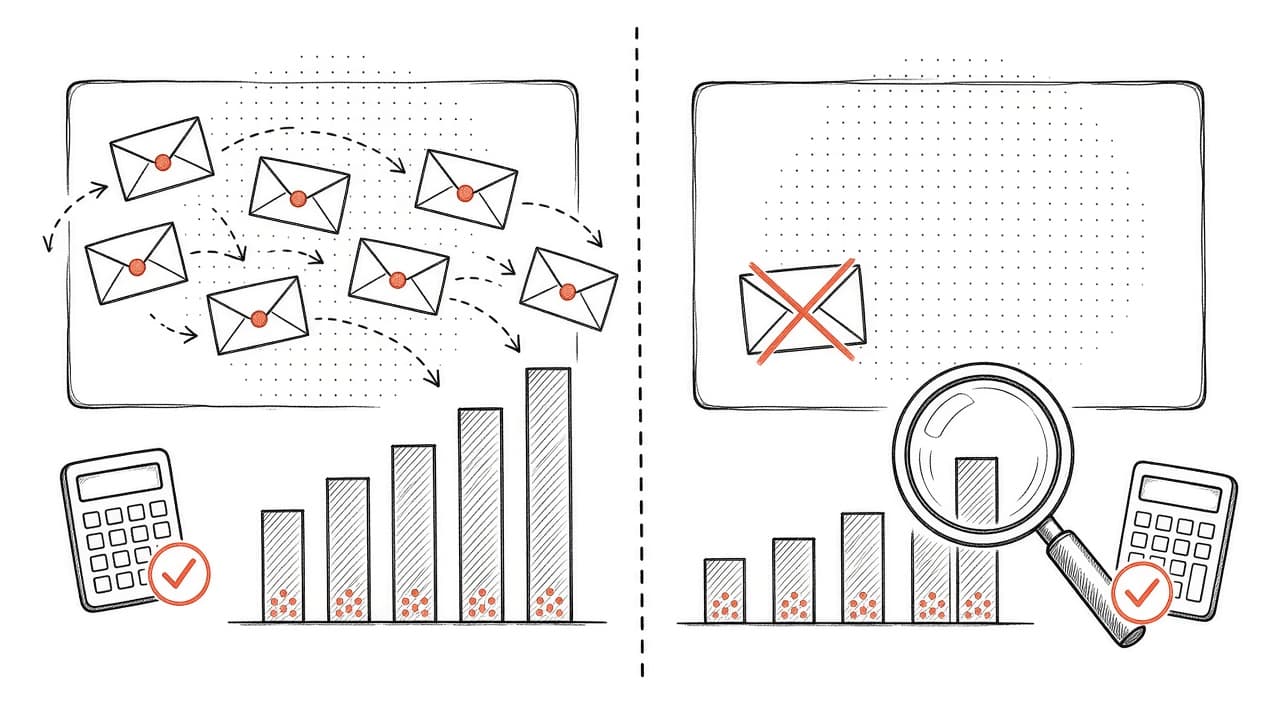
Most accounts we audit have 3-5 fixable issues that are quietly costing thousands per month. A flow broke and nobody noticed. Deliverability slipped because list hygiene stopped. Attribution settings changed and revenue stopped counting. Segments got too broad and engagement tanked.
This is the 48-point checklist we run when a client asks us to audit their Klaviyo account. Work through it in order. Each section either finds a problem or rules it out.
Last reviewed: October 21, 2026. All Klaviyo feature references verified against the official Klaviyo Help Center.
How to Use This Checklist
Open your Klaviyo account and work through each section in order. If you find something broken, fix it before moving on. Flag anything you're uncertain about and revisit it at the end.
Some checks require DNS settings, Google Postmaster Tools, or Shopify admin access. Note those items and follow up with whoever has access if needed.
Section 1: Flows (13 Checks)
Flows are the highest-ROI part of Klaviyo. When they break, they fail silently. Revenue just stops.
Flow Status & Triggers
-
All critical flows are set to "Live" (not Draft, not Manual). Check: Welcome Series, Abandoned Cart, Browse Abandonment, Post-Purchase, Winback, Sunset.
-
Flow trigger metrics look normal. Check each flow's Analytics for Recipients count over the past 7 days vs. previous period. If a flow that normally sends 100+ emails per week suddenly sent single digits, the trigger broke. (Troubleshooting flow triggers)
-
Trigger conditions match your current site setup. If you changed your Shopify theme, migrated platforms, or updated checkout recently, trigger events may have changed. Example: a "Started Checkout" trigger might break if you switched to Shopify's new checkout.
-
No test filters left in place. Check for restrictive filters added during testing. Common: "Has not been in this flow in the last 30 days," "Email contains @yourdomain.com," or date filters that exclude your actual list.
Flow Content & Timing
-
Every flow email is published. Click into each email. Verify status shows "Live," not "Draft."
-
Flow timing delays make sense. Abandoned cart should send first email within 1-4 hours, not 24+ hours. Welcome series should span 7-14 days. Post-purchase should send within 24-48 hours.
-
Flow emails have working links and CTAs. Spot-check at least one email in each flow. Verify product links, discount codes, and CTA buttons work.
-
Discount codes in flows haven't expired. If you use Shopify discount codes in abandoned cart or welcome flows, verify they're still active in Shopify admin.
Flow Performance
-
Revenue per recipient is tracked and stable. For each flow, note RPR over the past 30 days. Compare to the previous 30 days. If RPR dropped 20%+ in any flow, investigate: did the offer change? Did content degrade? Did audience shift?
-
Top flows are hitting reasonable revenue benchmarks. Klaviyo's 2026 benchmark data shows abandoned cart flows average $6.77 revenue per recipient (top 10%: $13.70), welcome series average $5.75 RPR (top 10%: $13.27), and post-purchase flows average $1.80 RPR (top 10%: $2.77). If your flows generate significantly less than these benchmarks, the content, offer, or timing needs work. (Klaviyo abandoned cart benchmarks)
-
No flow is sending to zero people. If a flow shows "Live" but sent fewer than 5 emails in the past week, and your site had orders, the trigger or filters are broken.
Missing Flows
-
You have a sunset flow. If you don't have an automated flow that re-engages unengaged subscribers and suppresses non-responders, you're hurting deliverability. (How to build a sunset flow)
-
You have a post-purchase flow beyond the thank-you. A multi-email post-purchase series (thank you, how-to-use, cross-sell, review request) typically drives 15-25% of total flow revenue.
Section 2: Segments (8 Checks)
Segments determine who gets what. Bad segmentation means emailing the wrong people or missing the right ones.
Segment Definitions
-
Your "engaged" segment is actually engaged. Most brands define engaged as "opened or clicked email in the last 90 days." If it's broader than 90 days, tighten it. If you don't have an engaged segment, create one now. (Klaviyo segmentation guide)
-
You have tiered engagement segments. Beyond "engaged" and "everyone," create tiers: highly engaged (30 days), engaged (90 days), semi-engaged (180 days), unengaged (180+ days).
-
VIP segments are based on behavior, not guesses. Use purchase data: total spend over $X, order count 3+, purchased within last Y days.
-
Segments aren't accidentally excluding buyers. Check segment definitions using engagement metrics. Apple's Mail Privacy Protection makes opens unreliable. Include an "OR has placed order" clause so recent buyers aren't filtered out.
Segment Hygiene
-
Segments update dynamically. Klaviyo segments should be dynamic, not static lists you manually update.
-
You're not mailing unengaged subscribers in campaigns. Pull your last 5 campaigns and check recipient segments. If any went to "All Subscribed" or included 180+ day inactives, you're hurting deliverability. Always exclude unengaged.
-
Segment sizes match expectations. Your engaged segment should be 30-40% of your total subscribed list in a healthy account. Under 25% signals a deliverability or content problem that needs immediate attention.
-
Suppression segments are working. Verify profiles flagged as unengaged, opted out of marketing, or high-risk are in suppression segments that block them from campaigns.
Section 3: Deliverability (10 Checks)
If emails don't land in the inbox, nothing else matters.
Authentication
-
SPF record is set up. Check your domain's DNS for a TXT record containing
v=spf1that includes Klaviyo's sending servers. If you have a dedicated sending domain, verify Klaviyo's IPs are listed. (Setting up SPF) -
DKIM record is set up. In Klaviyo, go to Settings > Domains. Your sending domain should show a green checkmark for DKIM. If not, add the DKIM records to your DNS. (Setting up DKIM)
-
DMARC record exists. Look for a TXT record on
_dmarc.yourdomain.com. A basic record isv=DMARC1; p=none; rua=mailto:dmarc@yourdomain.com. Gmail and Yahoo require DMARC for bulk senders. Start withp=noneand move top=quarantineonce confident. (DMARC guidance from Gmail) -
You have a branded sending domain if you send to 5,000+ people in one day. Using Klaviyo's shared domain ties your reputation to other senders. Set up a subdomain like
mail.yourbrand.com. Gmail and Yahoo require bulk senders to use branded sending domains. (Branded sending domain setup)
Engagement & Hygiene
-
Spam complaint rate is under 0.1%. Check campaign analytics for spam complaint rate (marked as spam / emails delivered). Gmail's damage threshold is 0.3%, but stay under 0.1%. Above that signals a list quality or content problem. (Reducing spam complaints)
-
Bounce rate is under 2% per campaign. Klaviyo auto-suppresses hard bounces. If it's consistently above 2%, you have list quality issues. (Understanding bounces)
-
Unsubscribe rate is under 0.3% per campaign. A spike signals content mismatch, frequency fatigue, or poor segmentation. Consistently above 0.5% means something is wrong. (Klaviyo's recommended thresholds)
-
You have a sunset flow that runs automatically. Unengaged subscribers hurt deliverability. A sunset flow re-engages them, then suppresses non-responders. (Building a sunset flow)
External Reputation
-
Google Postmaster reputation is "High." Set up Gmail Postmaster Tools. Check your domain reputation. "Medium," "Low," or "Bad" means Gmail is filtering you to spam.
-
You're not on major blocklists. Use MXToolbox to check if your domain or IPs are on blocklists. If you are, follow the delisting process immediately.
Section 4: List Growth & Forms (5 Checks)
-
Net list growth is positive monthly. Calculate: new subscribers minus (unsubscribes + hard bounces + suppressions). If your list is shrinking, you have a churn or acquisition problem.
-
Your popup is live and converting at 3%+ of site visitors. Go to Sign-up Forms in Klaviyo and verify your main popup is published. Check its conversion rate over the past 30 days. Klaviyo recommends targeting 3% or higher; standard homepage popups typically run 3-8%. Under 2% means the offer, design, or targeting needs work. (Sign-up form analytics)
-
Popup has a strong, clear offer. "Join our newsletter" is weak. "Get 15% off your first order" or "Early access to new drops" is strong. Your offer drives conversion rate.
-
Double opt-in is enabled if bot signups are a problem. Check your list settings (Lists & Segments > [Your List] > Settings). If "Require double opt-in" is off and you're seeing spammy signups or inflated active profile counts without real engagement, turn it on. Trade-off: double opt-in reduces signup volume but dramatically improves list quality and deliverability. (Double opt-in setting)
-
You're collecting consent checkboxes where legally required. If you market to EU or UK customers, your forms should include a clear opt-in checkbox for marketing (not pre-checked). Verify your Klaviyo forms have the consent checkbox enabled and wired to a custom property. (GDPR compliance in Klaviyo)
Section 5: Attribution & Reporting (6 Checks)
If you can't measure it, you can't improve it.
-
Attribution windows are set correctly. Go to Account > Settings > Attribution in Klaviyo. The defaults are 5-day click, 5-day open. If attribution settings changed recently and revenue attribution dropped without a corresponding drop in sends or site orders, this is why. (Understanding attribution settings)
-
You're tracking attributed revenue and conversion rate, not just open rate. Open rate is inflated by Apple Mail Privacy Protection. Click rate and revenue per recipient are your real engagement metrics.
-
UTM parameters are set on email links. If you run multi-channel marketing, UTM tags on email links let you track email-driven traffic in Google Analytics. Check recent campaigns: do links include
utm_source=klaviyoandutm_medium=email? (UTM tracking in Klaviyo) -
You're excluding internal traffic from metrics. If your team frequently opens test emails, those inflate your metrics. Create a segment that excludes profiles with your company domain.
-
You're comparing email performance to a baseline, not guessing. Pull your 90-day average open rate, click rate, and RPR for campaigns and each major flow. When a campaign or flow underperforms, you'll know immediately.
-
You have a holdout test running or planned. Klaviyo attribution is last-touch within the attribution window, which over-attributes. A holdout test (suppressing email to 5% of your list for 60-90 days) measures true incremental lift. (How to run a holdout test)
Section 6: Integrations & Data (6 Checks)
Klaviyo's power comes from data it ingests. If integrations break, everything downstream breaks.
-
Shopify integration is connected and healthy. Go to Integrations > Shopify in Klaviyo. Verify status shows "Connected." Check sync log for recent errors. A broken Shopify integration stops abandoned cart, browse abandonment, and post-purchase flows. (Troubleshooting Shopify integration)
-
All key Shopify events are flowing. Go to Metrics in Klaviyo and check for these events in the past 24 hours: Placed Order, Started Checkout, Viewed Product. If any are missing but you know orders happened, the integration broke.
-
Other integrations are connected. Check Integrations tab. If you use subscription apps, review apps, loyalty apps, or SMS providers that feed data to Klaviyo, verify connection status.
-
Custom properties and events are set up correctly. If you've added custom properties (e.g., "VIP Status") or custom events (e.g., "Attended Webinar"), check they're populating with recent data. Misconfigured custom events often fail silently.
-
Historical data imported correctly if you migrated. If you migrated to Klaviyo from another platform, verify historical purchase data, subscriber dates, and custom properties carried over. Check a few profiles who were customers before migration.
-
API integrations are not rate-limited or failing. If you're using Klaviyo's API to sync data, check API logs or error monitoring. Rate limit errors mean data isn't reaching Klaviyo. (API rate limits)
What to Do After You Run the Checklist
Go back to the items you flagged or couldn't verify. Prioritize them in this order:
Immediate (fix today):
- Any flow showing 0 sends when it should be active
- Broken Shopify or critical integration
- Missing SPF, DKIM, or DMARC records
- Spam complaint rate above 0.1%
This week:
- Flows missing from your account (sunset, post-purchase, etc.)
- Segment definitions that are too broad or exclude buyers
- Popup not live or converting under 2%
This month:
- Deliverability reputation in Google Postmaster below "High"
- Missing UTM tracking or attribution issues
- Engagement tiers and suppression logic need tightening
Most Klaviyo accounts have 3-5 fixable issues when we run this audit. Fix the top 3 and you'll usually see a measurable revenue lift within 7-14 days.
Common Patterns in Audits
After auditing hundreds of accounts, these issues come up most:
Flow filters left on after testing. A restrictive test filter was never removed. The flow shows "Live" but sends to nobody.
No sunset flow. Thousands of unengaged profiles tank deliverability.
Attribution window changed without notice. Revenue attribution dropped 20% overnight because someone tightened the window from 5 days to 1 day.
Popup broke during a theme update. List growth flatlined and nobody noticed for weeks.
Engagement segment is too broad. The "engaged" segment includes anyone who ever opened an email, killing deliverability.
Should You Run This Audit Yourself or Hire Help?
You can run most of this checklist yourself if you're comfortable navigating Klaviyo.
Where you'll likely need help:
- DNS settings and authentication records if you're not technical
- API integrations and custom event setup
- Prioritizing multiple issues
If you worked through the checklist and found problems but aren't sure how to fix them, the problem might require DNS changes, API debugging, or prioritization help.
As a Klaviyo Gold Partner with 150+ active clients, $70M+ revenue driven, and $23M+ ad spend managed, we run this exact checklist in our free Klaviyo audits. Most of the time we find the issue in the first 15 minutes.
Book your free Klaviyo audit here →
Related reading:
- Why Is My Klaviyo Revenue Down? A Step-by-Step Diagnostic Guide
- The 7 Revenue Leaks We Find in Almost Every Klaviyo Account We Audit
- The Klaviyo Deliverability Checklist We Run Every Month
- Klaviyo Is Charging You for Ghosts: Cut Your Bill Before BFCM
- Klaviyo Segmentation: The 12 Segments Every Shopify Store Needs
- How to Build a Klaviyo Sunset Flow That Cleans Your List

Written by Mark Cijo
Founder of GOSH Digital. Klaviyo Gold Partner. Helping eCommerce brands grow revenue through data-driven marketing.
Book a free strategy call →